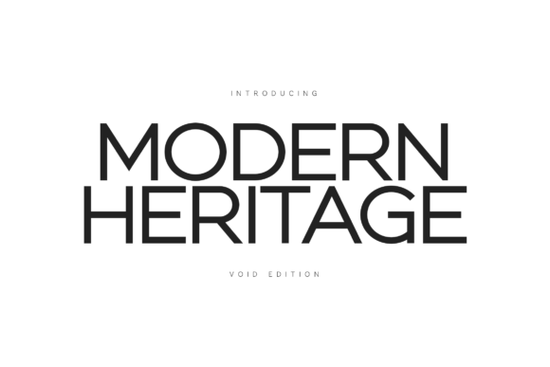
If you're looking for a clean, confident sans-serif that works equally well on a luxury fashion tag, a minimalist website header, or a modern wedding invitation, the Modern Heritage Font is worth your attention. It’s not flashy or experimental instead, it leans into thoughtful spacing, balanced proportions, and quiet authority. Designed with negative space as a core feature, this “Void Edition” feels airy without sacrificing structure. That makes it especially useful if you’ve ever struggled with text that looks cramped, heavy, or visually overwhelming even at smaller sizes.
Who actually uses Modern Heritage and why?
This font fits naturally into projects where clarity and calm confidence matter more than ornamentation. Interior designers use it for mood boards and client presentations because it doesn’t compete with photography or material swatches. Architects choose it for signage mockups and portfolio layouts where legibility at a distance is essential. Small-batch print-on-demand sellers (think premium tote bags, framed art prints, or ceramic mugs) appreciate how its generous x-height keeps text readable even when scaled down or printed on textured surfaces.
It also pairs well with softer, more organic typefaces like Sweet Home Font, which brings gentle warmth to contrast Modern Heritage’s precision. For branding systems that need both a strong headline voice and a friendly supporting face, that kind of balance is practical, not just aesthetic.
What makes it different from other minimalist sans-serifs?
Many modern fonts aim for neutrality but end up feeling generic or cold. Modern Heritage avoids that by grounding itself in Swiss typographic tradition: consistent stroke weight, open counters, and carefully tuned letterfit. Yet it’s not a revival. The Void Edition refines those principles further tightening spacing just enough, simplifying terminals, and letting white space do more of the work. You’ll notice it most in dense blocks of text: headlines don’t shout, body copy doesn’t fatigue the eye.
Compare it to something like Muffin Font, which has subtle rounded corners and a friendlier rhythm great for lifestyle brands or handmade product labels. Or Hoodie Font, which adds relaxed, casual energy for youth-oriented or streetwear-focused work. Modern Heritage sits at the other end of that spectrum: restrained, intentional, and built for longevity.
Where does it work best and where might it fall short?
It shines in contexts where tone matters as much as function:
- High-end packaging (especially uncoated paper or embossed finishes)
- Architectural signage and wayfinding systems
- Editorial layouts with strong image/text balance
- Minimalist logo lockups (as a secondary or wordmark option)
- Digital interfaces where readability and hierarchy are priorities like SaaS dashboards or portfolio sites
It’s less ideal for playful children’s products, handwritten-style branding, or anything requiring strong personality or decorative flair. If your project needs warmth, whimsy, or hand-drawn texture, consider pairing it with a complementary script or display font instead of forcing it to carry that weight alone.
You can see real-world usage examples and licensing details on Creative Fabrica’s official page for the Modern Heritage Font.
How to get the most out of it (without overthinking)
Start simple. Try these three practical steps before diving into complex pairings or custom kerning:
- Use it at larger sizes first especially 36pt and up to feel how the spacing and contrast behave. You’ll quickly notice how much “room” each character occupies.
- Test it with real content, not just “Lorem ipsum.” Try your actual tagline or product name. Does it hold weight? Does it feel balanced next to your imagery or color palette?
- Pair it thoughtfully: A serif like Playfair Display or a soft sans like Sweet Home Font often creates a grounded, professional contrast more so than stacking two ultra-minimal fonts together.
And if you’re building a brand kit or template library, keep a version of Modern Heritage saved with your preferred tracking and line height settings. That saves time later especially when jumping between Canva, Adobe Illustrator, or Figma.
Before downloading or purchasing: check the license terms carefully. The Creative Fabrica listing includes personal and commercial use options, but always confirm whether your specific use case (e.g., selling physical goods with the font embedded in designs) is covered.
Try It Free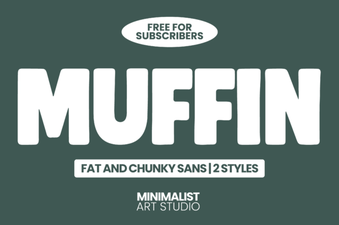 Crafting Design Projects with the Muffin Font
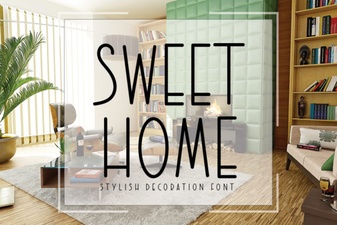 Unlock Nostalgic Charm: Sweet Home Font Inspiration
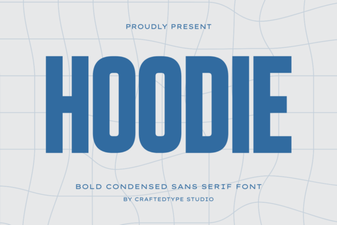 Choosing the Perfect Hoodie Font for Your Designs
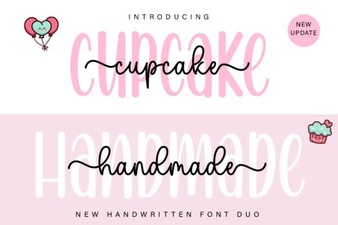 Create Font Combinations with Cupcake Handmade Duo Font
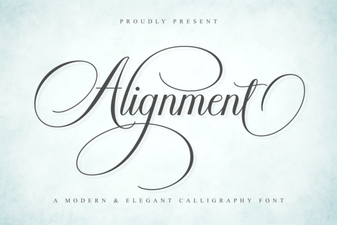 Perfectly Aligned Typography for Your Next Project
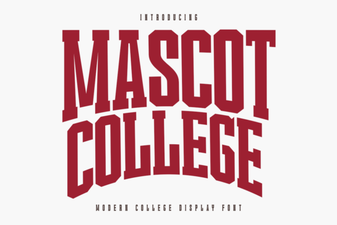 Modern Fonts for College Logo Designs